Stillvaro
Stillvaro 2.0 · For iPhone and iPad
Memorize the digits of π. Four digits at a time.
Give a string of digits a shape. Trace a glyph, find your rhythm, and connect the next four.

Works offline · No account · No subscriptions
iOS 26 / iPadOS 26 or later

Small steps. Longer connections.
Four is only the beginning.
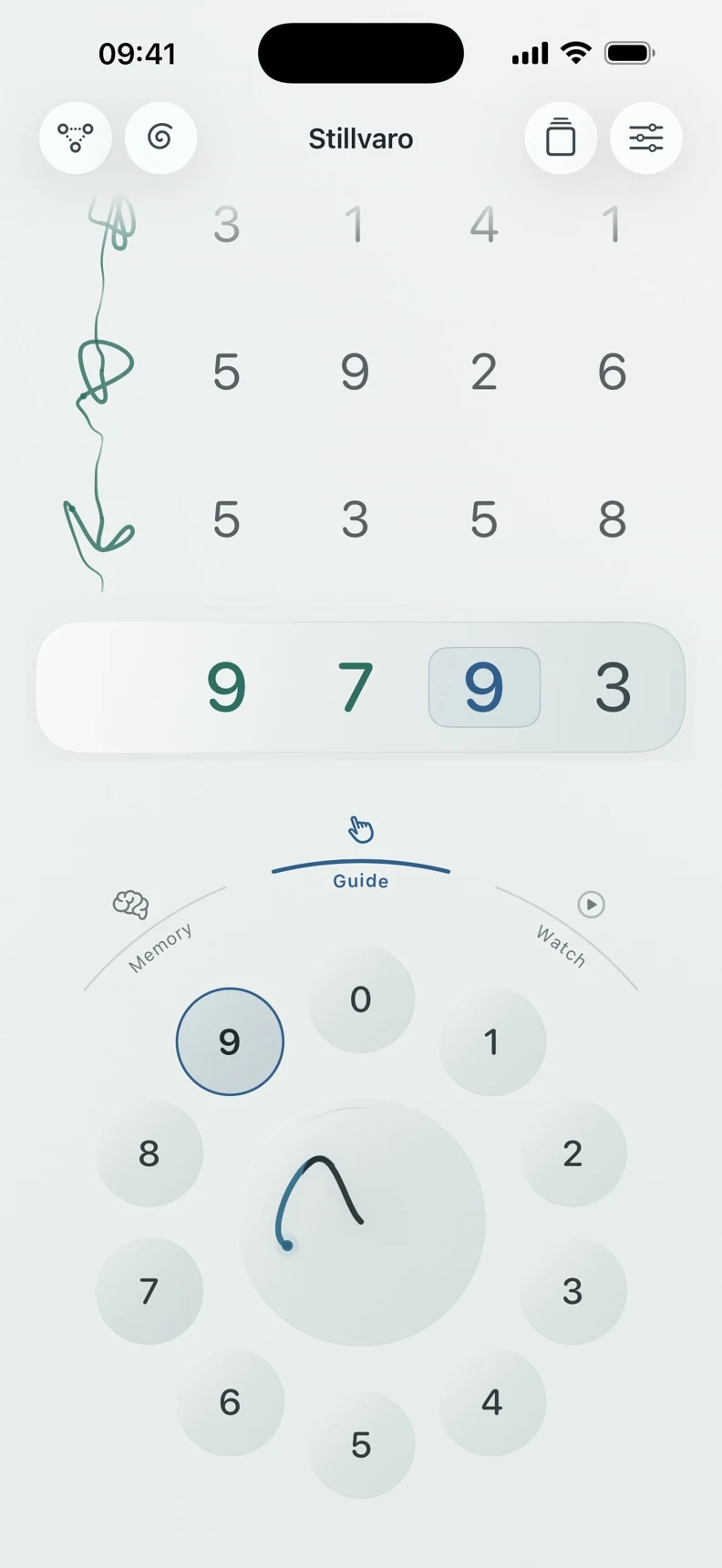
Start with 3141: π’s leading 3 and the next three digits, without the decimal point. Tap the dial, or drag and pause. Each group of four makes its own glyph.
Recall a group, then join it to the one before. Stillvaro brings difficult connections back into practice as you build longer passages.
4 → 8 → 16
01 / Watch
See it unfold.
Let the digits play across the dial. Choose your pace and repeats, then return to your saved practice.02 / Guide
Find your way.
Follow the highlighted digits. Each stroke joins the last as you become familiar with the next four.03 / Memory
Make it yours.
Recall the group without the answer in front of you. Build toward unaided recall, one group at a time.A native iPad workspace
More room. Same next four.
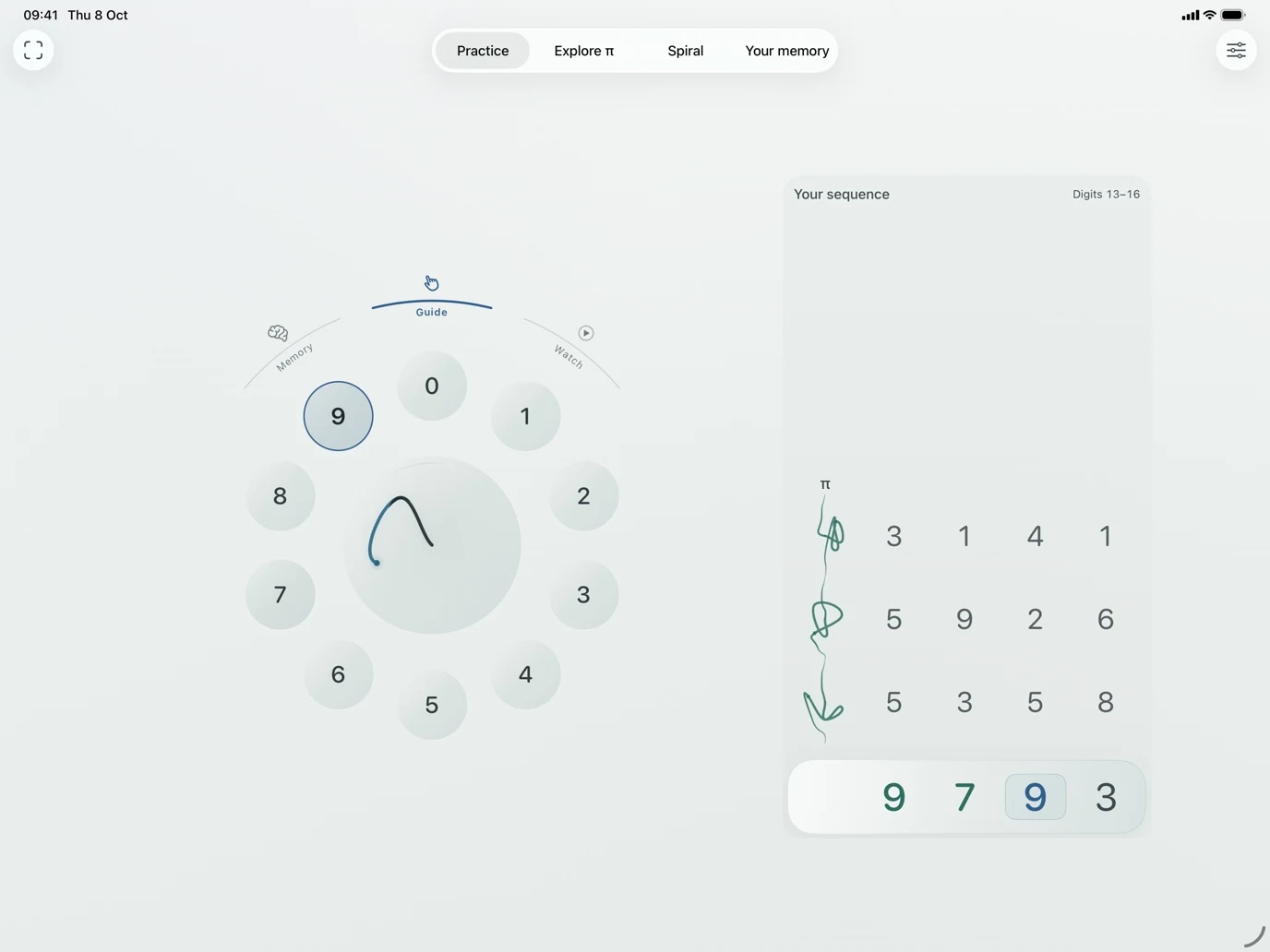
Give your sequence and the dial space to sit side by side. Rotate your iPad or resize the window, and Stillvaro adapts around your practice.
Move between Practice, Explore π, Spiral, and Your memory from the top navigation. In a wide landscape window, put the dial on either side; your choice is saved. Narrow windows have their own adapted layout.

Learning trends
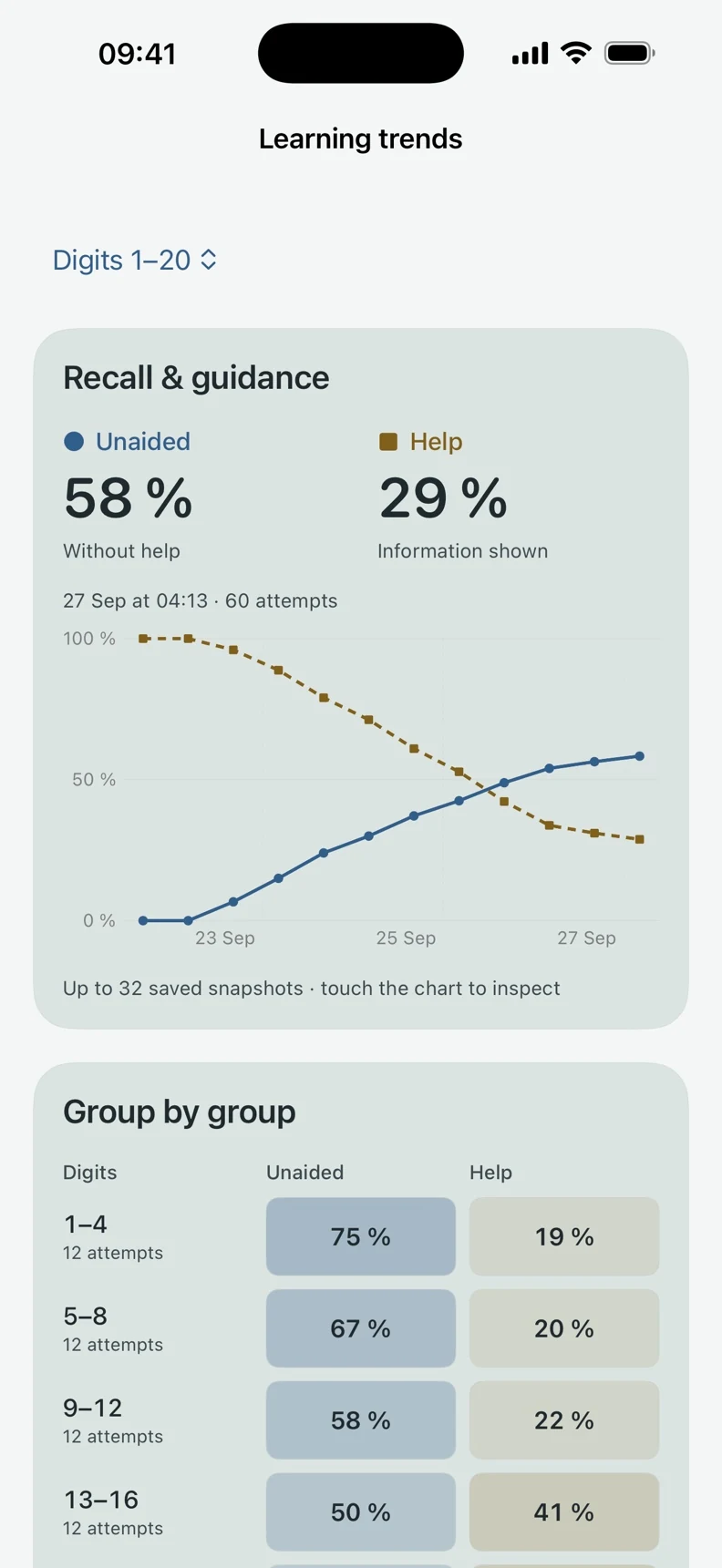
See what you remember.
Look back through saved snapshots. Compare recall and guidance, see your groups side by side, and find the digit positions that deserve another look.
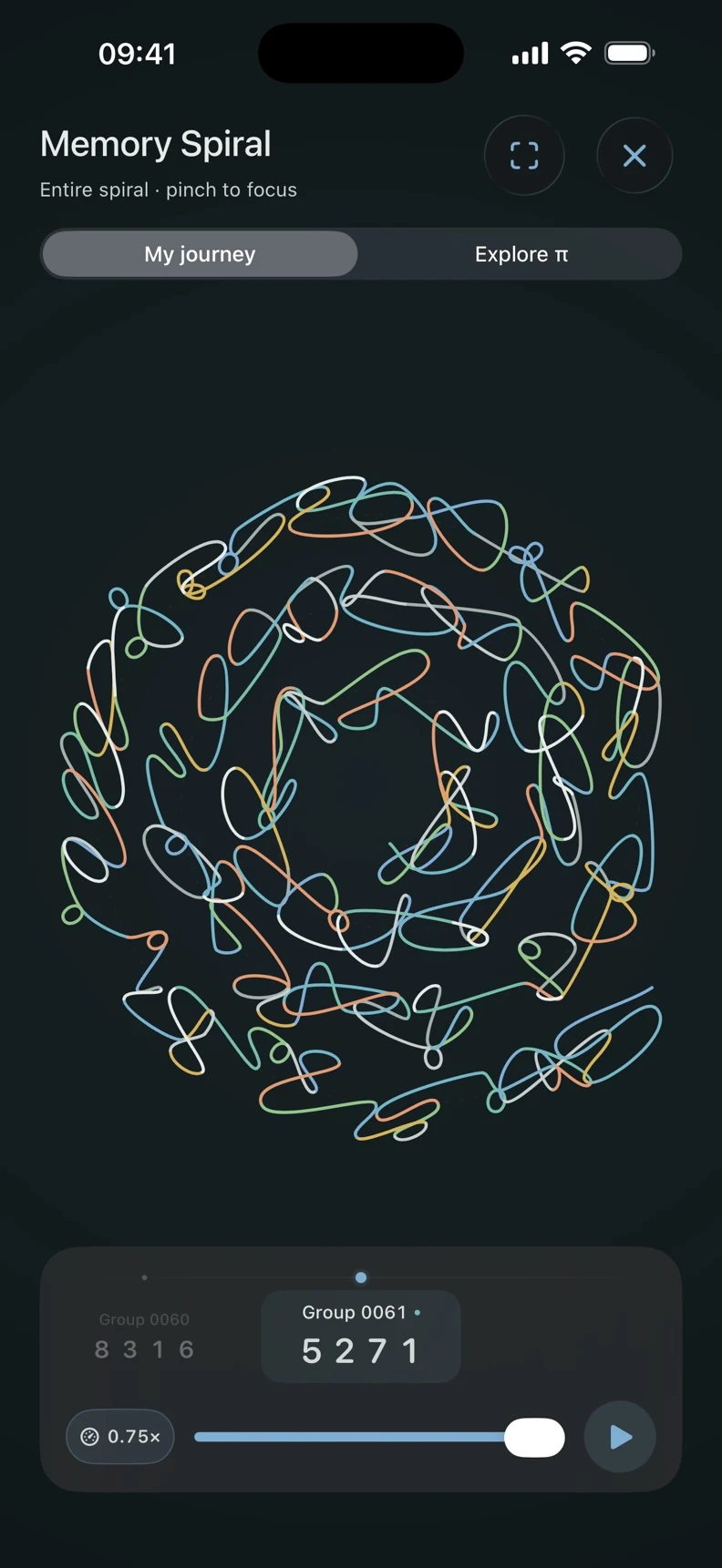
The Memory Spiral
A different view of π.
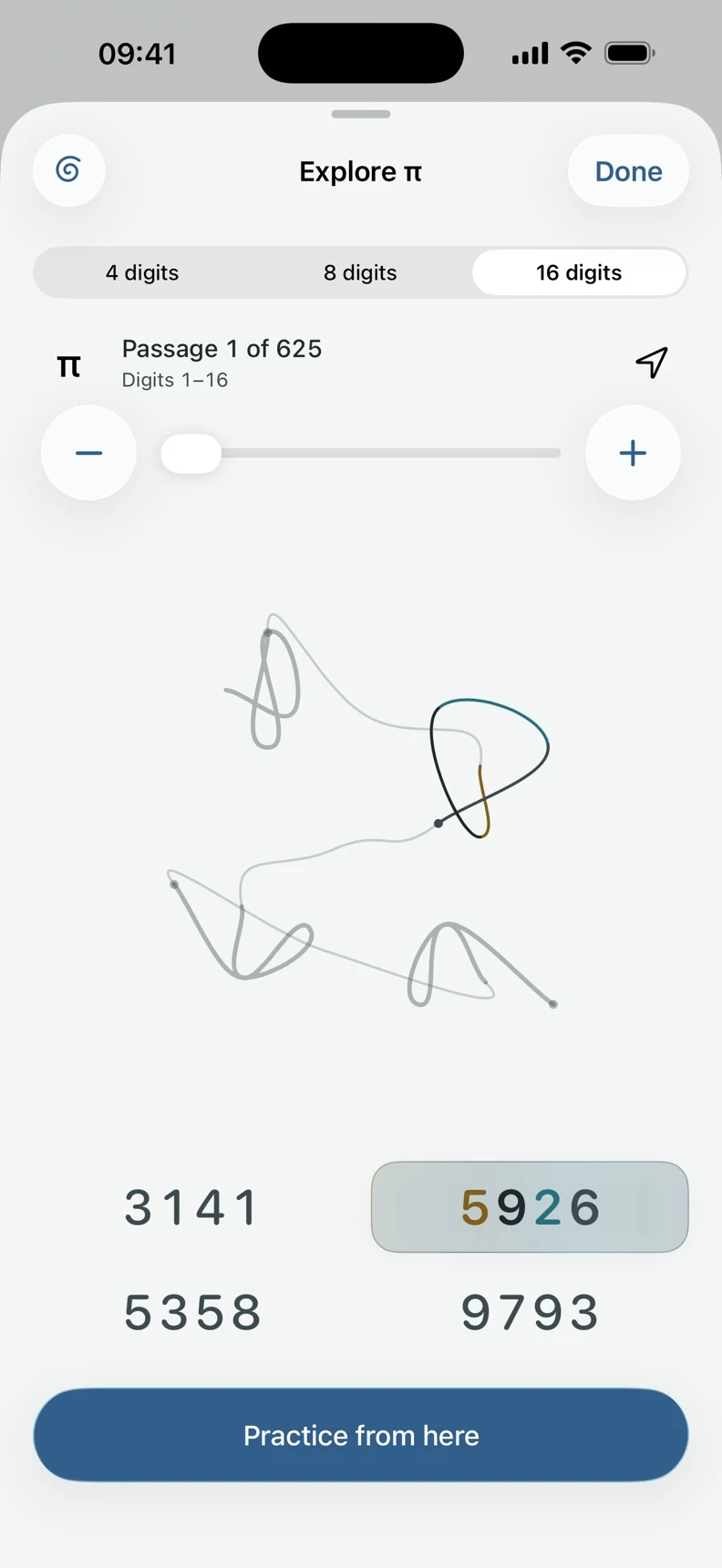
Follow My journey or switch to Explore π. Play the glyphs as a spiral, then pause, pan, and zoom. Browse the sequence, practice from a place that interests you, and return to where you left off.
Space for a little practice
A place to return to.
At your own pace.
Your place and unfinished input save automatically. Try an untimed memory test with four attempts per group; see your uninterrupted recall and personal best, then return to practice.Keep it personal.
Practice works offline. No account, advertising, or third-party analytics. Your learning records stay on your device.Make yourself comfortable.
Light and dark appearances, larger text, VoiceOver, optional haptics, and support for your motion and contrast preferences.Do I need to know any digits of π?
Which devices can I use?
What works offline?
Does my progress sync between devices?
Are there subscriptions or in-app purchases?
Where can I get help?
It starts with 3141
Your next four are waiting.
Stillvaro 2.0 · iPhone and iPad
iOS 26 / iPadOS 26 or later
Prepared for Stillvaro 2.0: September 30, 2026
Stillvaro is developed by Mark Olson. It is designed for private practice on your iPhone or iPad and does not require an account.
Practice stays on your device
Stillvaro’s app code does not automatically upload your practice data to the developer or a third-party service. It has no advertising, tracking, or third-party analytics SDKs. The app does not request access to your contacts, location, camera, microphone, or advertising identifier.
The app stores the information it needs to continue your practice, including:
- Your place in π, entered digits, completed groups, and mistakes.
- Guided practice, reference exposure, recall attempts, timing, review dates, and connections between groups.
- Memory-test results and personal bests.
- Optional anchor notes you write for sections of the sequence.
- Appearance, haptics, playback, help, and other preferences.
These records are used on your device to present your progress, resume sessions, and choose practice and reviews. The learning scheduler runs locally. It does not send your answers to an AI service.
Saving and device backups
Practice saves automatically in the app’s local storage. The app keeps a local recovery copy and may retain damaged files so they are not silently discarded. If saved progress cannot be read, the app explains the problem and any available next step. When possible, it recovers the previous valid save automatically and tells you.
The current app has no progress import/export, password-protected backup files, Home Screen widget, or automatic cloud synchronization. Any progress files you created with an earlier version remain wherever you saved them; the current app does not import or remove those separate files.
iOS device backups may include app data depending on your device and backup settings. Local learning records use the device’s storage protections.
Apple services and external links
Apple may provide the developer with App Store reports, including usage and diagnostic information shared according to your Apple settings. Stillvaro does not add an analytics SDK to do this. App usage reporting through Apple is subject to your choice to share analytics and to Apple’s privacy measures. See Apple’s analytics information and Apple’s privacy policy.
Opening Support or Privacy policy leaves the app for a website. Website hosting, browsing, and email services can process information needed to provide those services. This policy describes the Stillvaro app; external services have their own privacy practices.
Contacting support
If you email support@mholson.com, you choose to provide your email address, message, and any attachments. This information can be used to respond to your request. The app does not attach learning records to support messages automatically. Include only information you choose to share. You can contact the same address about a support message or to request its deletion.
Retention and deletion
Local progress remains until you erase it or remove the app and its data. In Settings → Erase all progress and settings, confirm Erase All Data to remove saved learning records, local recovery files, and preferences. This starts a fresh practice state. The developer cannot remotely inspect or erase your local app storage.
Removing the app from your device also removes its app data under iOS’s deletion behavior; offloading keeps data. Files exported by earlier versions, device backups, and files held by a provider are separate. Delete or manage those copies using the relevant service. Changing the app’s local data does not delete a support email already sent.
Children and changes
The app does not ask for age, identity, or account details and does not send a child’s practice history to the developer. Any future change to these data practices will be reflected in this policy with an updated date.
For privacy questions, contact Mark Olson at support@mholson.com.
Prepared for Stillvaro 2.0: September 30, 2026
Last updated: October 10, 2026
Stillvaro is a personal learning app by Mark Olson for exploring and practising the digits of π.
App license
For downloads from the App Store, the applicable App Store license agreement governs your use of the app. Unless a custom agreement is supplied on its product page, this is Apple’s Standard Licensed Application End User License Agreement. This page explains Stillvaro’s features and use; it does not replace that agreement or limit mandatory consumer rights.
Practice and progress
Stillvaro provides visual cues, practice, and review scheduling. No claim is made that using Stillvaro will help you memorize the digits of π. Results depend on how you use it. Its progress displays describe activity in the app; they are not guarantees of learning, permanent retention, or improvements in general cognitive ability. Stillvaro is not a medical or diagnostic service.
The current release needs no account and contains no in-app purchases or subscriptions. Any price shown by the App Store applies to the download. Apple handles App Store transactions and refund requests under its terms.
Your local library
Your progress saves automatically on your device, with local recovery handling. The current app does not import or export progress files and does not provide automatic cloud synchronization. Device backups are managed through your device’s settings.
Erase all progress and settings removes the app’s local learning records, recovery files, and preferences after confirmation. It does not remove separate device backups or files exported by earlier versions. Storage formats and features can change between releases.
Privacy and support
Read the Stillvaro privacy policy for information about local records, Apple services, backups, and support messages.
Contact support@mholson.com for help or questions. Include your app and iOS versions so the issue can be understood.
Apple, the Apple logo, App Store, iPad, iPadOS, and iPhone are trademarks of Apple Inc., registered in the U.S. and other countries. IOS is a trademark or registered trademark of Cisco in the U.S. and other countries and is used under license.